An AI meeting tool sits in your calls, listens, and turns the conversation into a transcript, a summary and a list of action items. If you have never used one, think of it as a colleague who takes perfect notes and never gets distracted. Every tool on the market does this. So how do you pick?
The honest answer is that most people pick badly, because they start from a feature list and a free trial instead of from their own needs. This guide flips that around. You will build a simple scoring sheet, test the two or three things that actually differ between tools, and reach a confident decision in an afternoon. No spreadsheets from hell, no month long evaluation.
Step 1: Write down your priorities first
Every tool transcribes and summarizes. The differences that matter are narrower than the marketing suggests. In practice they come down to five things:
- Accuracy for your language and setup. How clean is the transcript for the way you actually meet?
- Integrations you truly use. Where do notes and tasks need to land so nobody copies them by hand?
- Privacy and GDPR fit. Where is your data stored, and can you sign the right contract?
- Ease of use. Will the team actually keep using it after week two?
- Price and free tier. What does it cost at your real usage, not the headline number?
Before you open a single product page, rank these for your situation. A sales team lives or dies by the CRM integration. A hospital or a law firm treats EU data residency as non negotiable. A freelancer cares most about a generous free tier. Your ranking is the whole game, so be honest about it.
Step 2: Turn priorities into a weighted scorecard
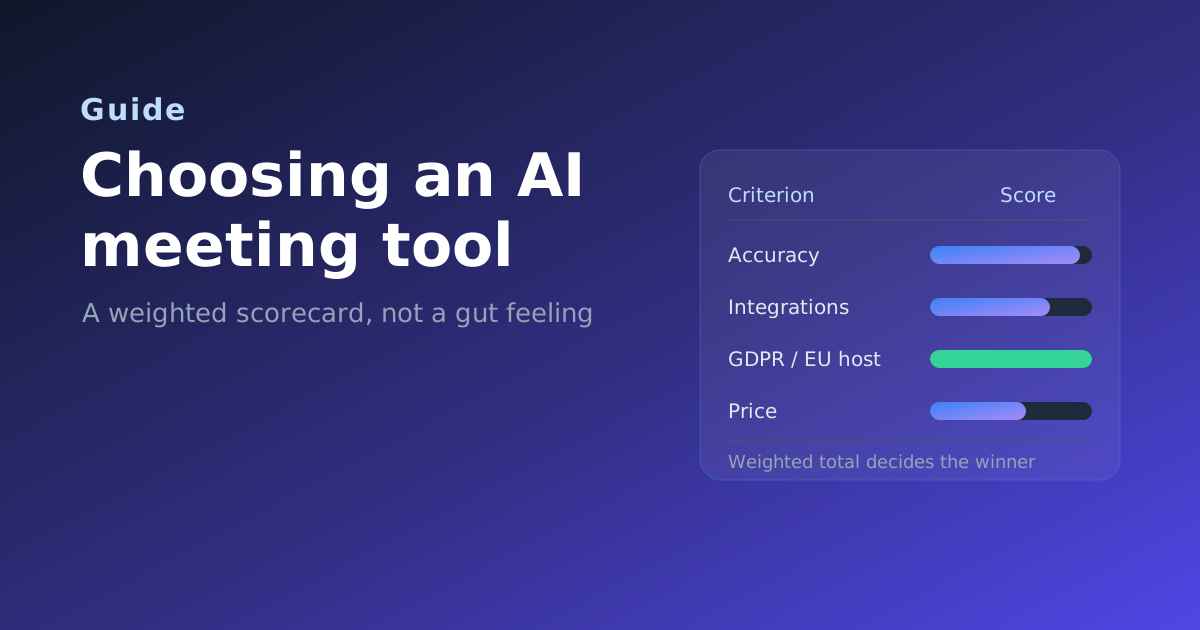
A ranking becomes a decision when you attach weights. Give each criterion a share of 100 percent based on how much it matters to you, then score every shortlisted tool from 1 to 5. Multiply, add up, and the winner is the one with the highest weighted total, not the one with the flashiest demo.
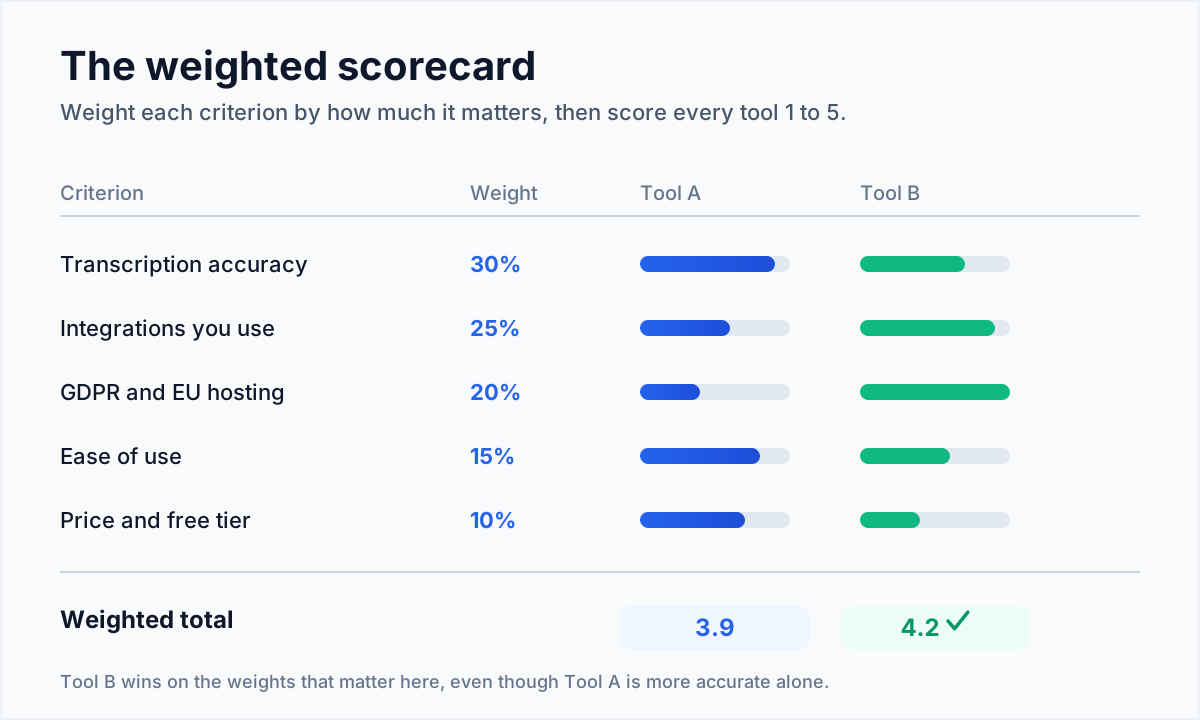
The point of the weights is to stop a single impressive feature from hijacking the decision. If accuracy is worth 30 percent to you and a tool is brilliant at everything except accuracy, the maths keeps you honest. Here is a starting set of weights you can adjust:
| Criterion | Typical weight | Weight it higher if… |
|---|---|---|
| Transcription accuracy | 30% | Meetings are multilingual, technical, or noisy |
| Integrations | 25% | Notes must reach a CRM or project tool automatically |
| Privacy and GDPR | 20% | You are in the EU or a regulated industry |
| Ease of use | 15% | Adoption across a non technical team matters |
| Price and free tier | 10% | Budget is tight or usage is occasional |
Step 3: Test accuracy for your language, not for English
Vendors love to quote one big accuracy number. That number almost always describes clean, native English audio. Accuracy drops with accents, background noise, several people talking at once, and any language other than English. If your meetings are in German, or full of product names and jargon, the headline figure tells you very little.
The fair way to compare is word error rate, the share of words that are wrong, missing or wrongly inserted. Lower is better. As a rough guide, below 5 percent is excellent, 5 to 10 percent is good enough for reliable notes, and above 15 percent means more fixing than the tool saves you. Most vendors do not publish this figure, so measure it yourself: take one real recording, run it through your shortlist, and count the mistakes in a two minute sample. We go deeper on this in how accurate is AI meeting transcription.
Step 4: Map the integrations you actually use
The best summary in the world is useless if you have to paste it into three other tools by hand. Before you commit, list the destinations your notes and action items need to reach, then check the tool covers them without manual work.
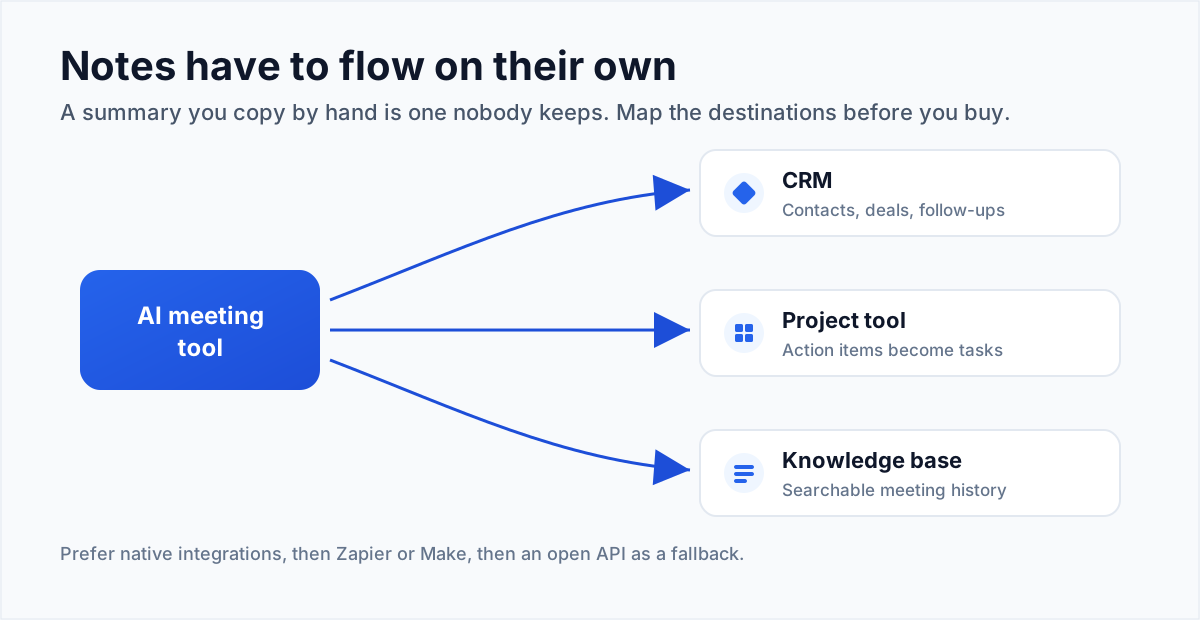
There is a quality order to integrations. A native integration built by the vendor is the most reliable and needs no maintenance. A connection through Zapier or Make is flexible but adds a moving part and sometimes a cost. An open API means your developers can build whatever is missing, which is powerful but not free. Ask which of the three you are getting for each destination that matters to you.
Step 5: Confirm privacy and GDPR fit
Recordings, transcripts and summaries are personal data. For any European team, and for regulated industries anywhere, this is often the criterion that eliminates tools fastest. Three things to confirm before a tool stays on your list:
- EU data residency. Are recordings stored and processed on servers inside the EU?
- A data processing agreement. Will the vendor sign a DPA covering recordings, transcripts and summaries?
- Deletion and retention control. Can you set how long data is kept and delete it on request?
Our comparison table flags which tools offer EU hosting, and GDPR and meeting recording walks through what the law actually requires.
Step 6: Read the price at your real usage
Headline prices hide the details that decide your bill. Watch for three traps. A generous free tier often caps monthly minutes or the number of meetings, so a busy team hits the wall in week one. Per seat pricing looks cheap for a pilot and expensive once the whole company is on it. And some tools charge extra for the exact features you came for, such as CRM sync or longer storage. Price the tool at the usage you actually expect, then compare.
Step 7: Shortlist two or three, then run a one week trial
Your scorecard should leave you with two or three genuine contenders. Do not evaluate more; the extra effort rarely changes the outcome. Instead, run each finalist for one real working week with a real team, and measure a few concrete things:
- How much did you edit the transcripts and summaries? Less editing is the clearest signal.
- Did action items land in the right place without anyone copying them?
- Did the team keep using it by Friday, or quietly go back to typing notes?
The right choice is the one your team still uses in week two. Adoption beats every feature comparison, because a tool nobody opens has zero accuracy and zero integrations in practice.
Common mistakes to avoid
- Choosing on the demo. Demos use perfect audio and English. Your Tuesday standup does not.
- Trusting one accuracy number. Test it on your own recording, in your own language.
- Ignoring where the data lives until legal or IT blocks the rollout at the last minute.
- Over evaluating. Five tools and a month of testing usually produce the same answer as two tools and a week.
Your quick checklist
- Ranked your five priorities and set weights that add up to 100 percent.
- Measured word error rate on one real recording in your language.
- Confirmed native integrations for every destination that matters.
- Verified EU data residency and a signable DPA if you are in the EU.
- Priced the tool at your real usage, free tier caps included.
- Ran a one week trial and watched whether the team kept using it.
Want a head start on the shortlist? Our tool finder asks a handful of plain questions and points you at the tools that fit, and the full comparison table lets you check features, pricing and EU hosting side by side. The full result is visible without an email or sign up.