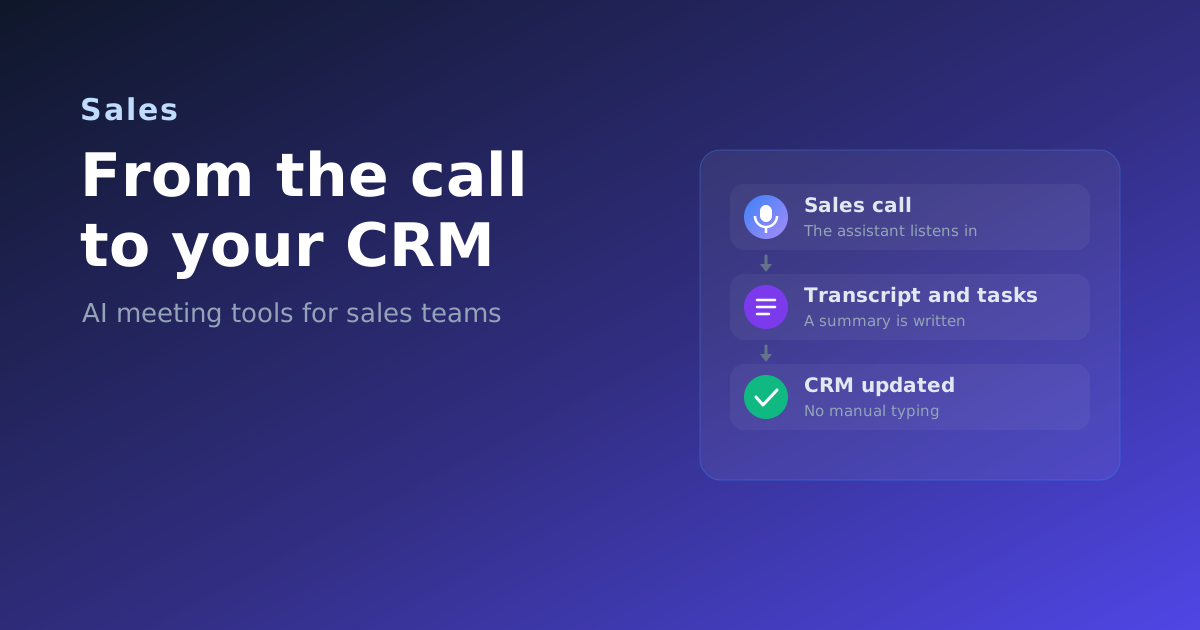
Every sales rep knows the tax that follows a good call. You hang up, and now you owe the CRM ten minutes of typing: what was said, what the next step is, who the decision maker is, when to follow up. Do it well and it eats your day. Do it fast and the notes are thin, the fields are half filled, and the follow-up slips. Multiply that across a full calendar and a whole team, and the pipeline you forecast from is quietly out of date.
An AI meeting tool removes that tax. It sits in the call, listens, and turns the conversation into a clean record: a transcript, a short summary, a list of next steps, and the fields your CRM actually needs. The rep stays in the conversation instead of scribbling. This guide explains, in plain terms, how that works, what really lands in the CRM, and what to check before you roll one out. No prior knowledge needed.
What an AI meeting assistant does in a sales call
Think of it as a colleague who takes perfect notes and never gets distracted. During or right after the call it does four things:
- Records and transcribes. It turns speech into text, so the whole conversation is searchable later.
- Separates the speakers. Using speaker diarization, it labels who said what, so you can tell the prospect's questions from your rep's answers.
- Writes a summary. Instead of a wall of text, you get a short AI summary: the topics, the objections, the decisions.
- Pulls out the next steps. It extracts action items like "send the proposal Friday" and turns them into tasks.
The sales specific part is the last mile: pushing the right pieces into your CRM automatically, so the record updates itself.
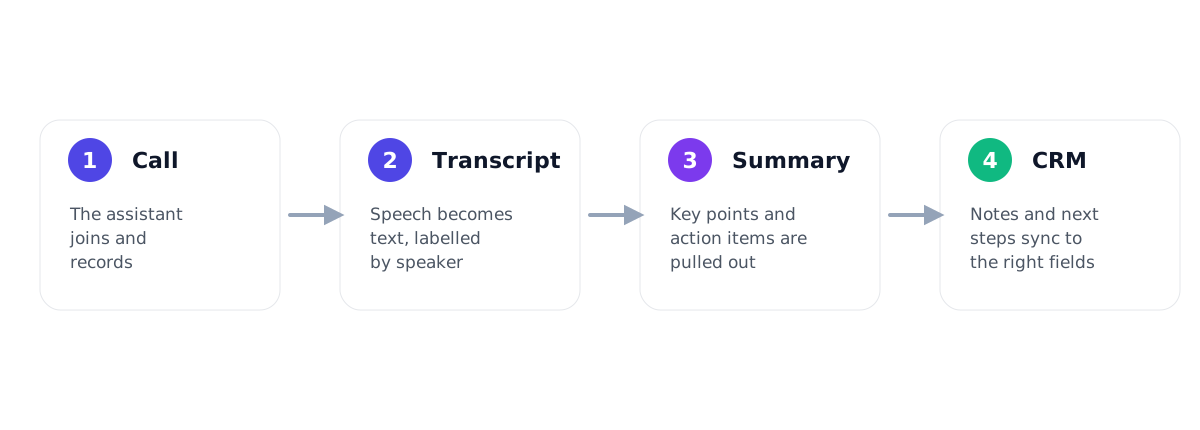
The path from conversation to CRM, step by step
It helps to see the whole flow once, because each step feeds the next.
- Step 1, the call. The assistant joins your Zoom, Teams or Meet call, or records an in person meeting, and captures the audio.
- Step 2, the transcript. Speech becomes text, labelled by speaker and timestamped, so you can jump back to any moment.
- Step 3, the summary and tasks. The tool condenses the call into key points and pulls out concrete next steps with owners and, where possible, dates.
- Step 4, the CRM. The summary lands on the right contact or deal, tasks become follow ups, and specific details fill the fields you care about.
What actually lands in your CRM
This is the part that decides whether the tool saves you real time. A good assistant does more than paste a transcript into a note. It maps what was said to where it belongs.
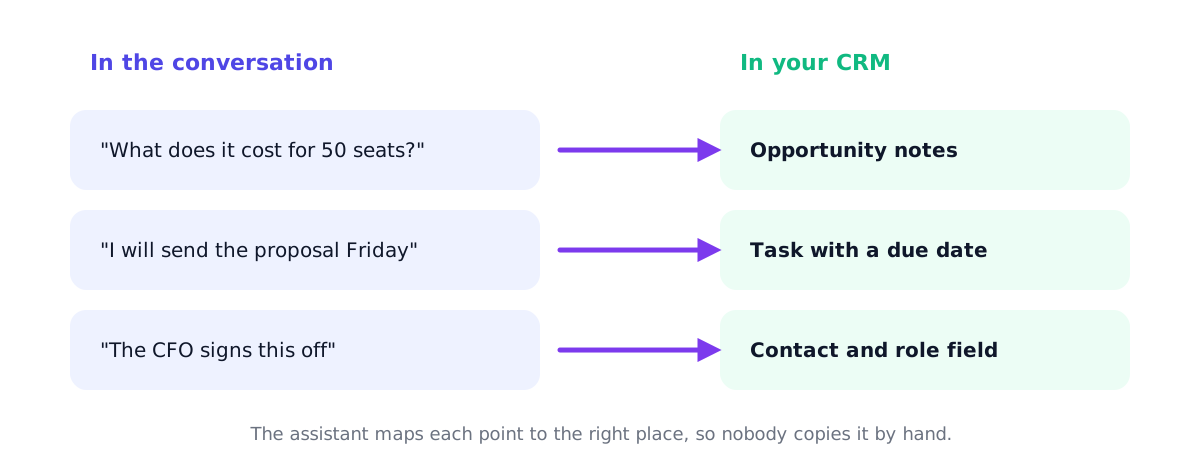
| What was said in the call | Where it goes in the CRM |
|---|---|
| The prospect asked about pricing for 50 seats | Notes on the opportunity or deal |
| "I will send the proposal by Friday" | A task with an owner and a due date |
| The CFO is the person who signs off | A contact with a role or title field |
| They want to start before the quarter ends | A hint to move the deal stage |
| The full recap of the conversation | The activity log on the account |
Some tools go one step further and draft the follow up email for you, using what was actually discussed. You review, edit and send in under a minute.
Why this is a real advantage for sales, not just tidy notes
The benefit is bigger than saving a few minutes of typing. Four things change:
- More time selling. Admin after calls is the classic time sink. Automate it and reps get hours back each week for actual conversations.
- A pipeline you can trust. When the CRM updates itself, the record reflects what really happened. Forecasts and handovers stop relying on memory.
- Faster, better follow ups. A follow up that goes out the same hour, referencing exactly what the prospect said, lands far better than a generic note two days later.
- Coaching from real calls. Many tools add conversation analytics, such as talk to listen ratio or which questions got asked. Managers can coach on evidence, not anecdotes.
What to look for when you choose one for sales
The general framework in how to choose an AI meeting tool applies, but sales teams should weight a few things harder.
- Native CRM integration. If you run Salesforce or HubSpot, a native integration built by the vendor is the most reliable. It needs no maintenance and writes to the right places out of the box.
- How deep the field mapping goes. Ask whether it can write to your custom fields, not just a generic note. The difference between "a note got added" and "the deal fields are filled" is the whole point.
- Accuracy for your language and jargon. Sales calls are full of product names, numbers and crosstalk. A headline accuracy figure usually describes clean English. Test it on a real recording in your own language, as we explain in how accurate is AI meeting transcription.
- Reliable action items. The next step is the most valuable output for a rep. Check that it catches commitments consistently, not just now and then.
- Conversation analytics. If coaching matters to you, look for talk time, topics and question tracking.
Native integration, Zapier or an open API
There is a quality order to how notes reach your CRM. A native integration from the vendor is the most reliable and needs no upkeep. A connection through Zapier or Make is flexible and covers tools without a native option, but it adds a moving part and sometimes a cost. An open API lets your team build whatever is missing, which is powerful but not free. For a mainstream CRM, prefer native. For anything niche, a reliable Zapier flow is a fair fallback.
Keep customer data safe
Sales calls and CRM records are full of personal data: names, contact details, what a client said. Recordings, transcripts and summaries all count. For any team in the EU, and for regulated industries anywhere, this is a serious criterion, not an afterthought. Before a tool stays on your list, confirm three things:
- EU data residency. Are recordings stored and processed on servers inside the EU?
- A signable data processing agreement. Will the vendor cover recordings, transcripts and summaries in a DPA?
- Control over deletion and retention. Can you set how long data is kept and delete it on request?
Our guide to GDPR and meeting recording walks through what the law actually requires, including consent.
How to roll it out without slowing the team down
You do not need a long project. Shortlist two or three tools that fit sales, then run each for one real working week with a few reps. Measure the things that matter:
- How much did you edit the CRM entries the tool created? Less editing is the clearest signal of quality.
- Did action items reach the CRM as real tasks, with the right owner and date?
- Did reps keep using it by Friday, or quietly go back to typing? Adoption beats every feature list.
To build that shortlist quickly, see our best AI meeting assistants for sales teams, which ranks tools on CRM sync, action items and conversation analytics. You can also compare features, pricing and EU hosting side by side in the comparison table, or answer a few plain questions in the tool finder. The full result is visible without an email or sign up.
Frequently asked questions
Do AI meeting tools work with Salesforce and HubSpot?
Many do, through a native integration built by the vendor. That is the most reliable option and usually lets notes, tasks and specific fields sync automatically. For other CRMs, a Zapier or Make connection often fills the gap. Always confirm the exact CRM and the fields you need before you commit.
Will the notes go into the right deal automatically?
Good tools match a call to the right contact or deal using the participants and the calendar invite, then attach the summary and tasks there. How deep the field mapping goes varies, so test it with your own CRM setup during a trial.
Is it legal to record sales calls?
It depends on where you and the other party are, and consent rules vary. In many places you must inform participants that the call is recorded. Our GDPR and meeting recording guide explains the basics, but check the rules for your region and get legal advice for anything sensitive.
How accurate is the transcription for sales calls?
Accuracy drops with accents, background noise, several people talking at once and languages other than English. Sales calls have all of these. The honest way to compare is to run one real recording through your shortlist and count the errors, as we describe in how accurate is AI meeting transcription.
Which tool is best for my team?
It depends on your CRM, your language and your budget. Rather than guess, start from the best tools for sales teams and narrow down with the finder. The right choice is the one your reps still use in week two.